Modifying Matebook X Pro – Linux Benchmarks
I got my new and sexy Matebook X Pro earlier in the week. The reviews were right, it can get somewhat loud at times. One thing I can’t stand is a loud computer. The problem with having an i7 and a discrete nvidia GPU in an ultrabook body is that getting rid of all the heat system generates is hard. Which leads to throttling of the system. I tried to tame the beast following the guide on bradshacks.com. I did not do every last mod Brad did, but I did the ones that were easy to carry out. One difference betwen Brad and I was that I was using Linux. So the software configuration and benchmarks are different.
Hardware Modifications
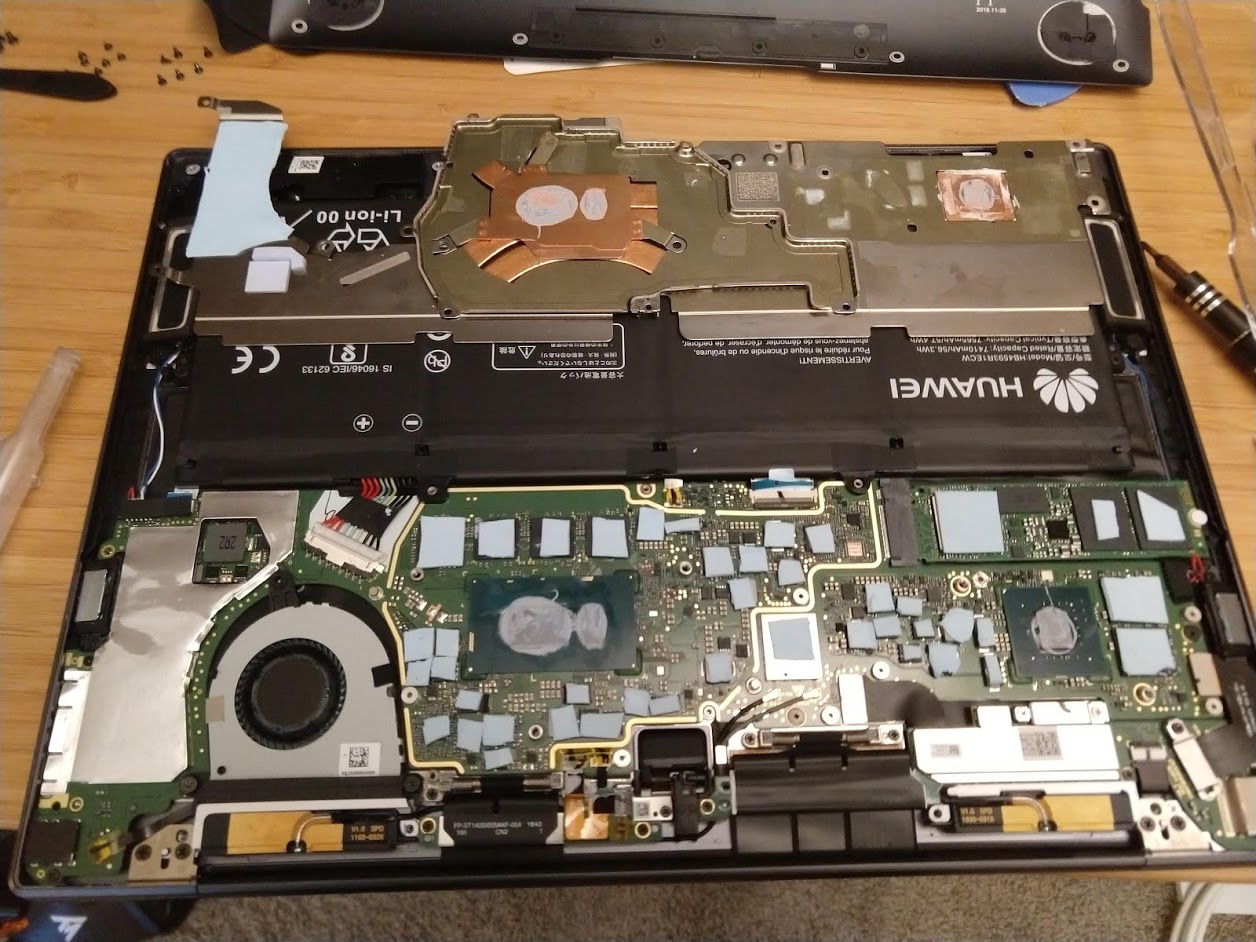
I may not have added heat pipes, or graphite sheets like Brad did, but I replaced the thermal grease, added a copper shim to replace the gpu thermal pad and added thermal pads to motherboard components.
I used thermal pads more selectively. I did not want to block possible air contact on the underside of the heat sink with thermal pads. So I placed the pads on motherboard components that would get warm. I used .5mm and 1mm pads depending on the height of the component. You can not see it in the picture but I also added two 1.2mm shims to the underside of the heat sink right over the cpu and the gpu, to transfer the heat to the lower body. The laptop body got a bit warmer as a result. But that was a sacrifice I was willing to make.
One freak accident was the tip of my trusty screw driver was sheared off in a screw in the case. These screws are tiny. Imagine holding your screw driver in one hand and looking at the tip of the bit flush with the screw you were trying to unscrew. I guess I was lucky that the screwdriver was magnetic and I was able to remove the bit bit without much fuss. I was freaking out as I had the whole thing disassembled and did not have a screwdriver to put it back together. I ordered new a precision set right then and there.
Software Configuration
TLP that was used to undervolt older generation cpus does not work for recent intel processors. I used George Whewell’s undervolt. There were no deb files, so I installed fresh from the git repository. I followed the steps outlined in the readme file to make it persistent (added a service). I was able to get -100mv for CPU, Cache, Analogio, and Uncore. I for -50mv for the GPU. I did not push it further than that, but I have a feeling that there is some head room in case I want to reduce power consumption further.
Since my goal was to reduce the sound, after taking the benchmarks, I switched to intel graphics. Pop!_OS is nice in the sense that, the applet to switch between Intel and Nvidia graphics is right there in the power menu.
Benchmarks
I used Phoronix test suite to benchmark the system before and after the modifications. After all was said and done the system was performing a bit better. I suspect most of these gains are due to the undervolting and not due to anything I did to the hardware (there are intermediate before undervolting tests that don’t show performance gains). My sense is copper shim on the GPU does indeed help, but the CPU part less so. Transferring all the heat from surrounding components to the same heatsink as the CPU reduces the efficiency of CPU cooling. Still I think the hardware mods help keep the overall system cool and quiet so all in all it was worth it. If I were to pick two most influential things to do to a matebook under linux to keep it quiet, I would pick undervolting and switching Nvidia graphics off.
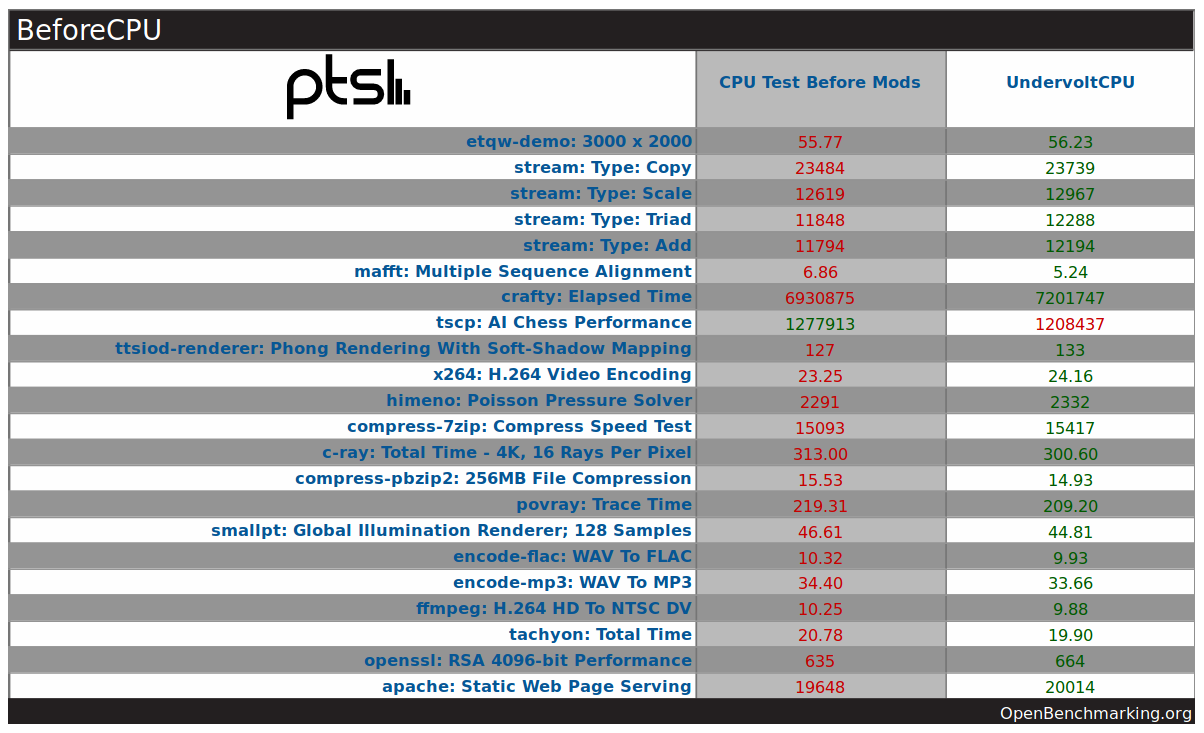
Detailed results can be found here: https://openbenchmarking.org/result/1905089-SP-BEFORECPU58,1905109-SP-AFTERCPUU06